Page last updated . Prices and calories are approximate and vary by store — how we source them.
Create-A-Shake
A build-your-own milkshake system that lets you pick a base and mix in your own combination of flavors, so no two orders have to taste the same.
On this page
What Is the Create-A-Shake?
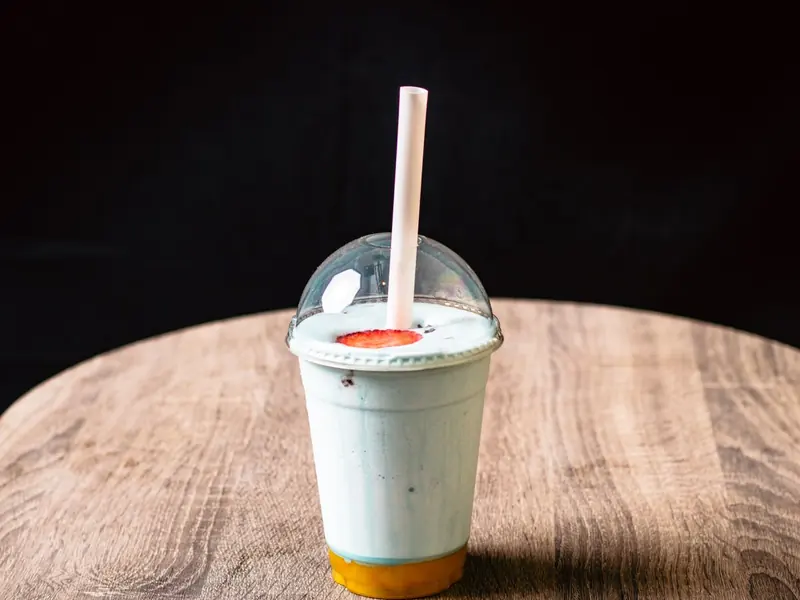
Create-A-Shake is Sheetz's build-your-own milkshake option, and the name is pretty literal — instead of choosing from a short fixed list of pre-set shake flavors, you start with a base and then layer in whatever combination of flavor shots and mix-ins you want through the kiosk or app ordering screen. That might mean a straightforward single-flavor shake if you know exactly what you're craving, or it can mean stacking two or three different flavors together to build something that doesn't exist anywhere on a printed menu. It's the same self-directed, build-it-yourself philosophy that runs through the rest of the Sheetz MTO system, just applied to frozen drinks instead of food.
Because the whole point of Create-A-Shake is customization, the finished drink can vary a lot from one order to the next — thickness, sweetness and flavor intensity all shift depending on how many mix-ins you add and which ones you pick. This makes it a genuinely different ordering experience than grabbing a shake off a fixed seasonal menu, since you're not choosing between a handful of preset options but instead assembling your own from a broader set of building blocks. It tends to appeal to people who already know their go-to flavor combo and don't want to be boxed into whatever the current seasonal lineup happens to be, as well as anyone who just likes experimenting with unusual pairings on a whim.
Price & Why It Can Vary
Create-A-Shake starts at roughly $4.69, with the final price depending heavily on both size and how many flavors or mix-ins you add. A simple single-flavor small shake sits near the starting price, while a large shake loaded with multiple flavor combinations will run noticeably higher.
Size is the first major price driver — moving from a small to a medium to a large adds cost at each step the same way it would for any drink. On top of that, each additional flavor shot or mix-in you stack into the build can add a small charge, so a heavily customized multi-flavor shake costs more than a plain vanilla one. Store location and any running promotions can also shift the number slightly. Building your shake in the Sheetz app lets you see the running total update in real time as you add ingredients, which is the easiest way to know your exact price before ordering.
Nutrition Snapshot
| Metric | Approximate Value |
|---|---|
| Calories | ~617 cal (typical build, varies by flavor and size) |
| Serving | 1 milkshake |
| Customization | Base, flavor shots, mix-ins and size all affect calories |
Because every Create-A-Shake is a custom build, calorie counts swing widely depending on how many flavors and mix-ins are added. Check the Sheetz app for a build-specific number, or see our full Nutrition & Calories guide.
Why the Create-A-Shake Stands Out
- Genuinely build-your-own. You're not picking from a short printed list — you're assembling a flavor combination from a broader set of shots and mix-ins that can change every time you order.
- Layer multiple flavors. Stacking two or three flavor shots into one shake is part of the system, not a hidden workaround, so unusual combinations are fair game.
- No two orders have to match. Two people ordering "a Create-A-Shake" can walk away with completely different drinks depending on how they built it.
- Transparent build-as-you-go pricing. The app shows the running total update in real time as you add ingredients, so there's no surprise at checkout.
How to Order This Item
In-Store Kiosk: Select Create-A-Shake, pick your base, then work through the build screen adding flavor shots and mix-ins one at a time until it matches what you're craving.
Mobile App: Build the exact same custom combination ahead of time in the app, watch the price update live as you add ingredients, then skip the kiosk line entirely on pickup.
Delivery: Available through partner apps at many locations, but a milkshake can soften and separate on a longer delivery ride, so it's best on a short trip or picked up fresh if you want it thick.
The first time I used the app to build one, I went a little overboard and stacked three different flavor shots into a single medium — it ended up tasting muddled instead of interesting. My best builds since then have stuck to two complementary flavors max, which keeps each one actually noticeable instead of blending into a generic sweetness. If you're new to it, start with one strong flavor and a single mix-in before you get adventurous with a three-flavor combo.
Quick Questions
How many flavors can I mix into one Create-A-Shake?
The build screen typically lets you combine multiple flavor shots and mix-ins into a single shake, so you're not limited to just one syrup. Exact combination limits can depend on the kiosk software version at your store, but most customers can layer two or more flavors without issue.
Does the size affect how many flavors I can add?
Size mainly affects the overall volume and price rather than how many flavors you can pick, so you can build the same multi-flavor combination in a small or a large. Keep in mind that more mix-ins can add to the price regardless of size.
What flavors and mix-ins are available for Create-A-Shake?
The exact list varies by store and kiosk software version, but it typically includes a range of classic and fruit-based flavor shots plus candy or cookie-style mix-ins. Browse the build screen at the kiosk or in the app to see the current full list at your location.
Can I order a Create-A-Shake through the app before I arrive?
Yes. The Sheetz app lets you build your custom flavor combination ahead of time and see the running price update as you add mix-ins, then pick it up without waiting in the kiosk line.
Is Create-A-Shake available for delivery?
Where delivery is offered, Create-A-Shake can usually be ordered through partner apps, but keep in mind a milkshake can soften or separate on a longer ride. It travels best on a short trip or picked up fresh in-store.
Related Drinks
Sh'weet Liberty Cheezecake Shake
Sheetz Smoothies
Sheetz Bros. Coffeez (Hot Coffee)